AdmobMEDIATION
Admob Mediation
Section titled “Admob Mediation”This document describes how to add the Adapter supplied by HeheSDK to the AdMob mediation platform, enabling ad requests via AdMob mediation to reach HeheSDK’s advertising inventory.
Google Documents:
Supported Ad Formats
Section titled “Supported Ad Formats”| Ad Format | Supported |
|---|---|
| Banner | Yes |
| Interstitial | Yes |
| Native | Yes |
| Reward | Yes |
Setup Steps
Section titled “Setup Steps”1. Create a Mediation Group
Section titled “1. Create a Mediation Group”- Go to Mediation → Mediation groups, create a mediation group, and select the target ad format.
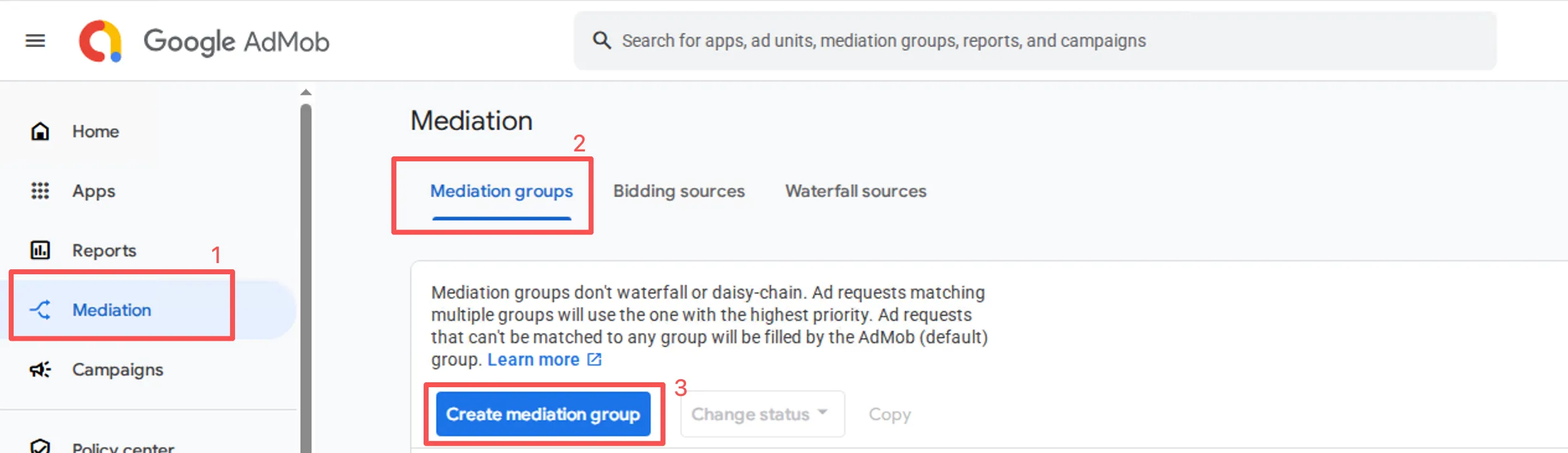
- Select the ad format and platform.
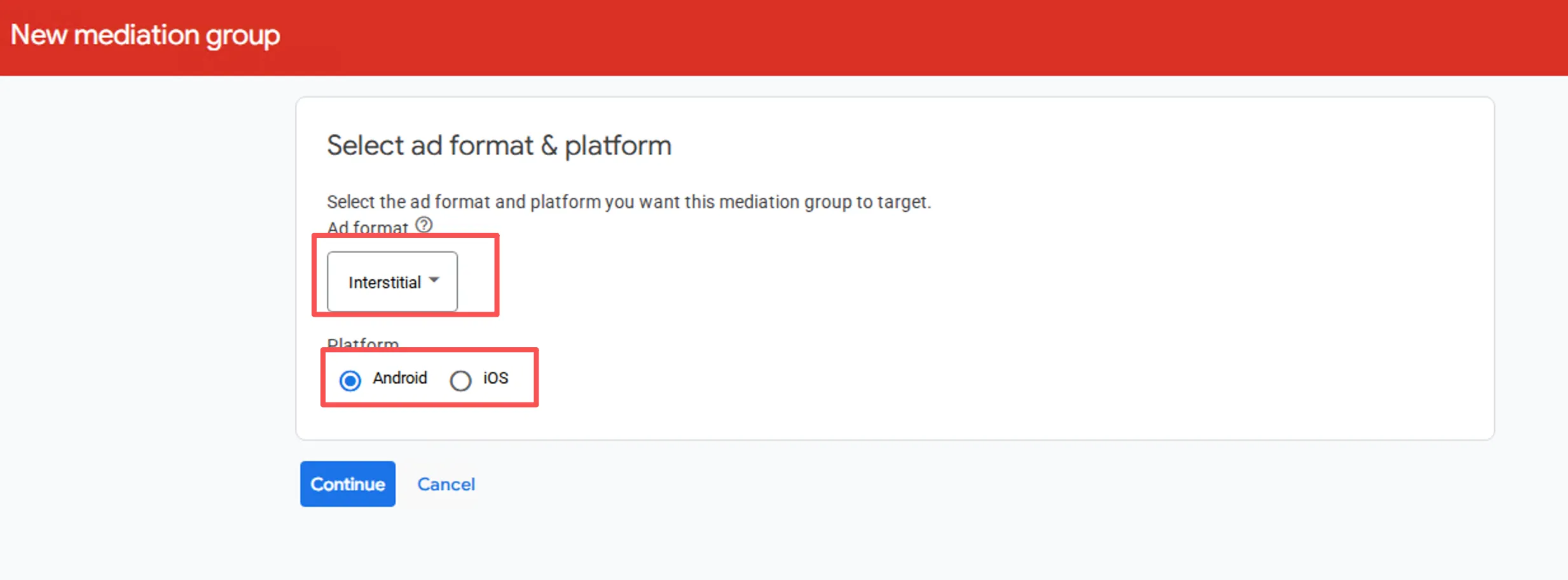
2. Add HeheSDK to the Mediation Group
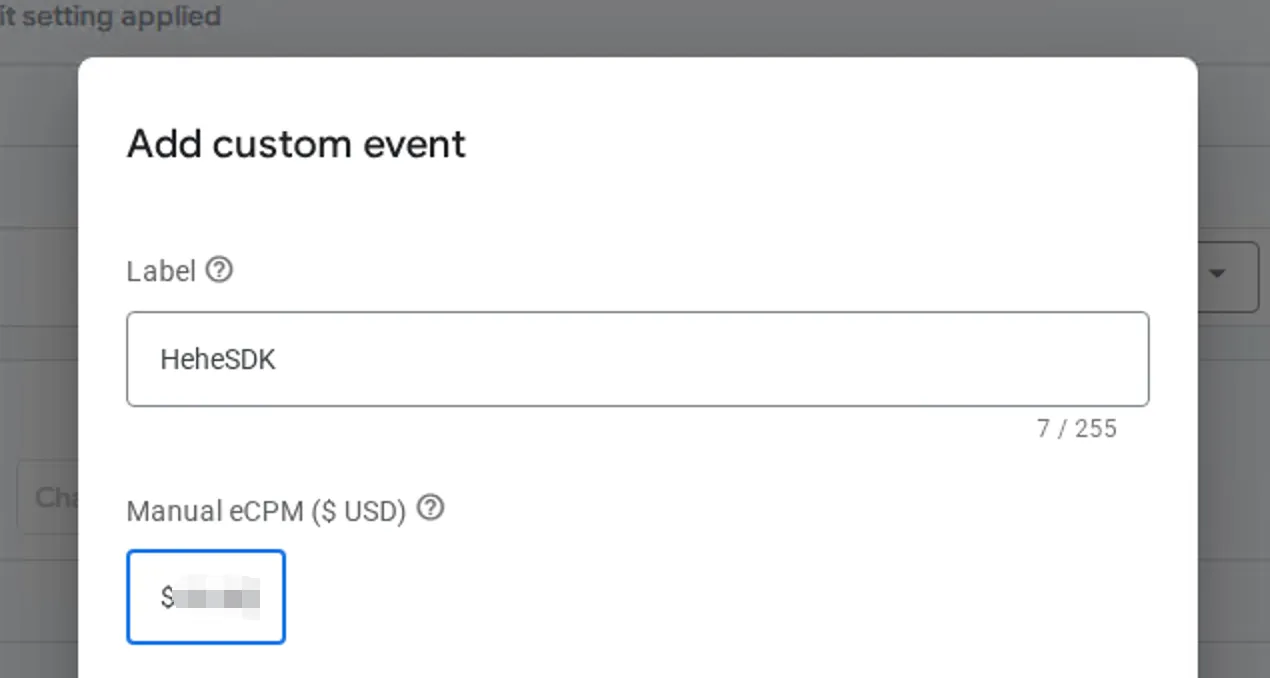
Section titled “2. Add HeheSDK to the Mediation Group”- After creating the mediation group and adding an ad unit, scroll to the waterfall section and click Add custom event.

- Enter the required information and click Continue.
3. Map Ad Units
Section titled “3. Map Ad Units”Android
Section titled “Android”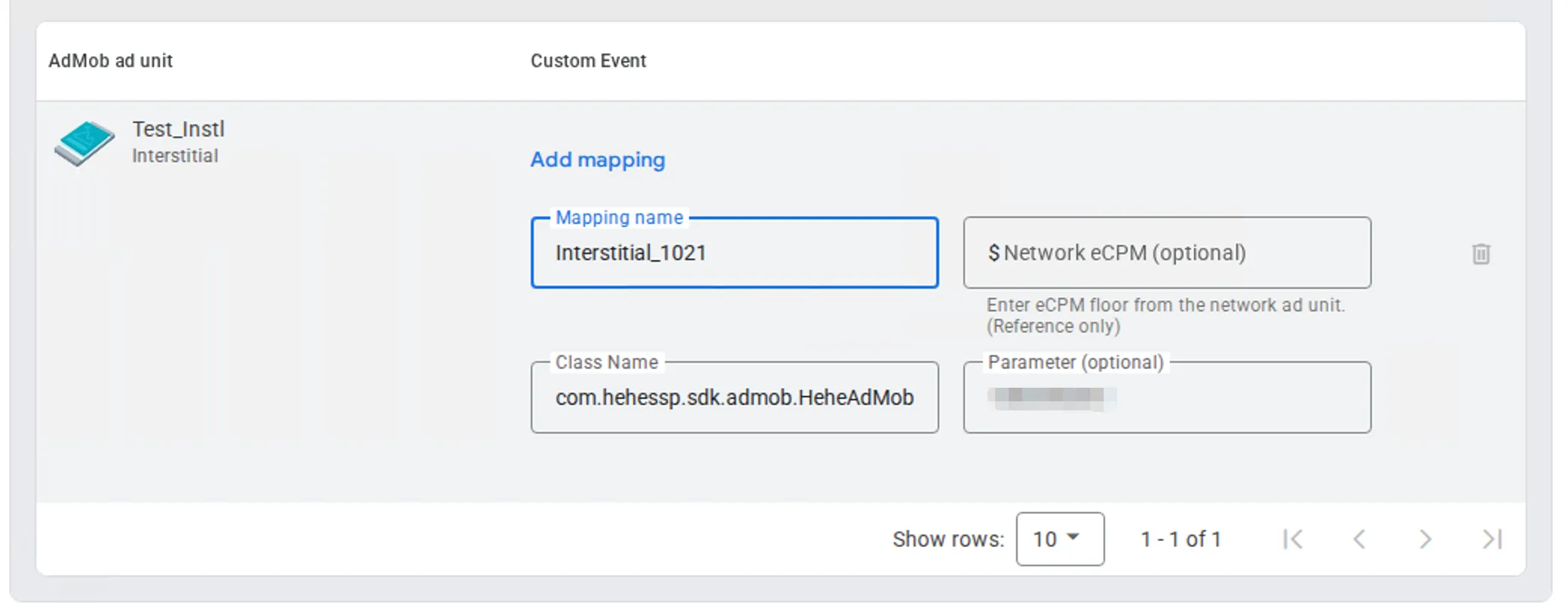
- Class Name:
com.hehessp.sdk.admob.HeheAdMobAdapter - Parameter: Required. Enter the corresponding HeheBid Placement ID.
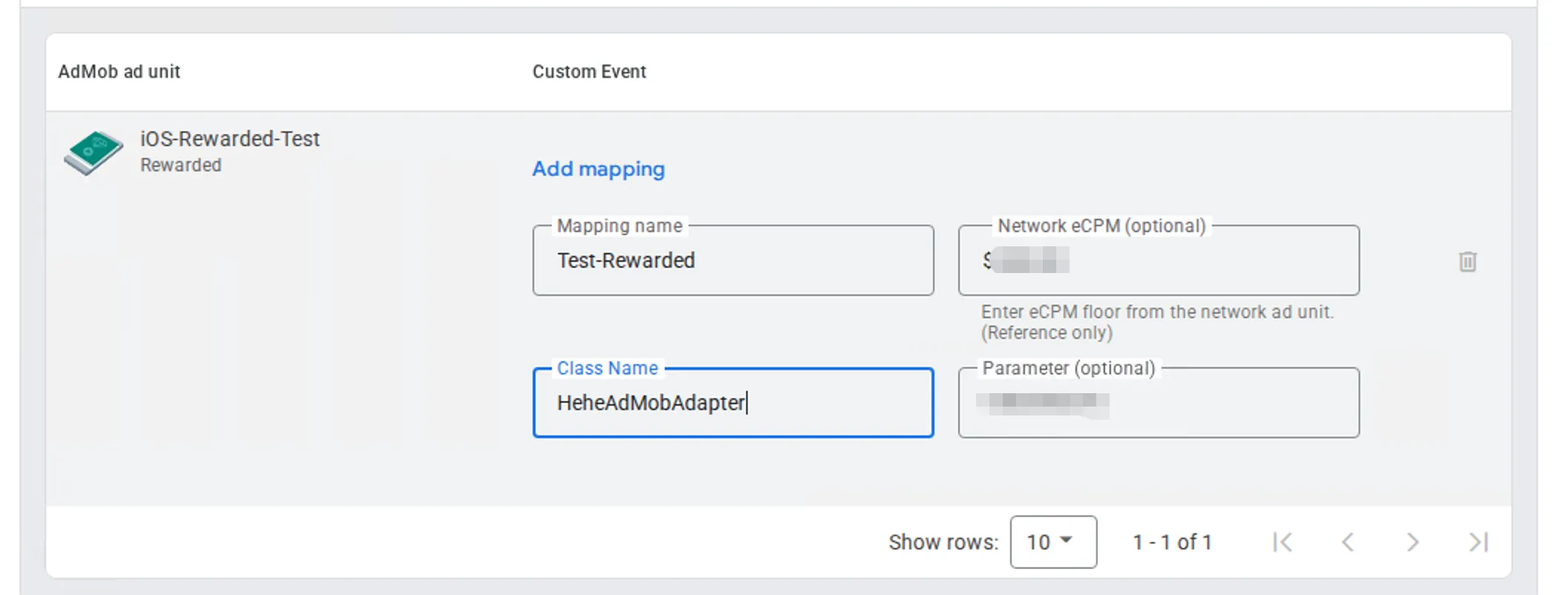
- Class Name:
HeheAdMobAdapter - Parameter: Required. Enter the corresponding HeheBid Placement ID.
Android Integration Guide
Section titled “Android Integration Guide”Dependencies come from public repo hehesdk/android-release via JitPack (replace the version with a published tag; latest public: 0.2.6).
Do not include both adapter-admob-nextgen and adapter-admob-legacy.
dependencyResolutionManagement {    repositories {        google()        mavenCentral()        maven("https://jitpack.io")    }}
dependencies {    // Core SDK (required)    implementation("com.github.hehesdk.android-release:hehesdk:0.2.6")
    // Pick one:    // Next-Gen adapter (with Google Mobile Ads Next-Gen SDK)    // implementation("com.github.hehesdk.android-release:adapter-admob-nextgen:0.2.6")    // Legacy adapter (with play-services-ads)    implementation("com.github.hehesdk.android-release:adapter-admob-legacy:0.2.6")
    // Google Ads (match the adapter you chose)    implementation("com.google.android.gms:play-services-ads:25.4.0")
    // Host must declare explicitly (not transitive from the AAR)    implementation("androidx.media3:media3-exoplayer:1.10.1")}
Adapters are thin: they do not bundle Hehe SDK or Google Ads SDK.
Setting HeheSDK App Key
Section titled “Setting HeheSDK App Key”When integrating via AdMob mediation, set the App Key in AndroidManifest.xml. The adapter auto-initializes Hehe — do not call AdSDK.init() again.
<meta-data android:name="com.hehessp.sdk.APP_KEY" android:value="YOUR_HEHE_APP_KEY" />iOS Integration Guide
Section titled “iOS Integration Guide”CocoaPods
Section titled “CocoaPods”platform :ios, '15.0'use_frameworks! :linkage => :static
source 'https://cdn.cocoapods.org/'source 'https://github.com/hehesdk/ios-sdk-specs.git'
target 'YourApp' do pod 'HeheAdMobAdapter', '0.2.10'endInfo.plist
Section titled “Info.plist”Configure the HeheBidAppKey in the info.plist file.
<key>HeheBidAppKey</key><string>YOUR_HEHE_APP_KEY</string>